
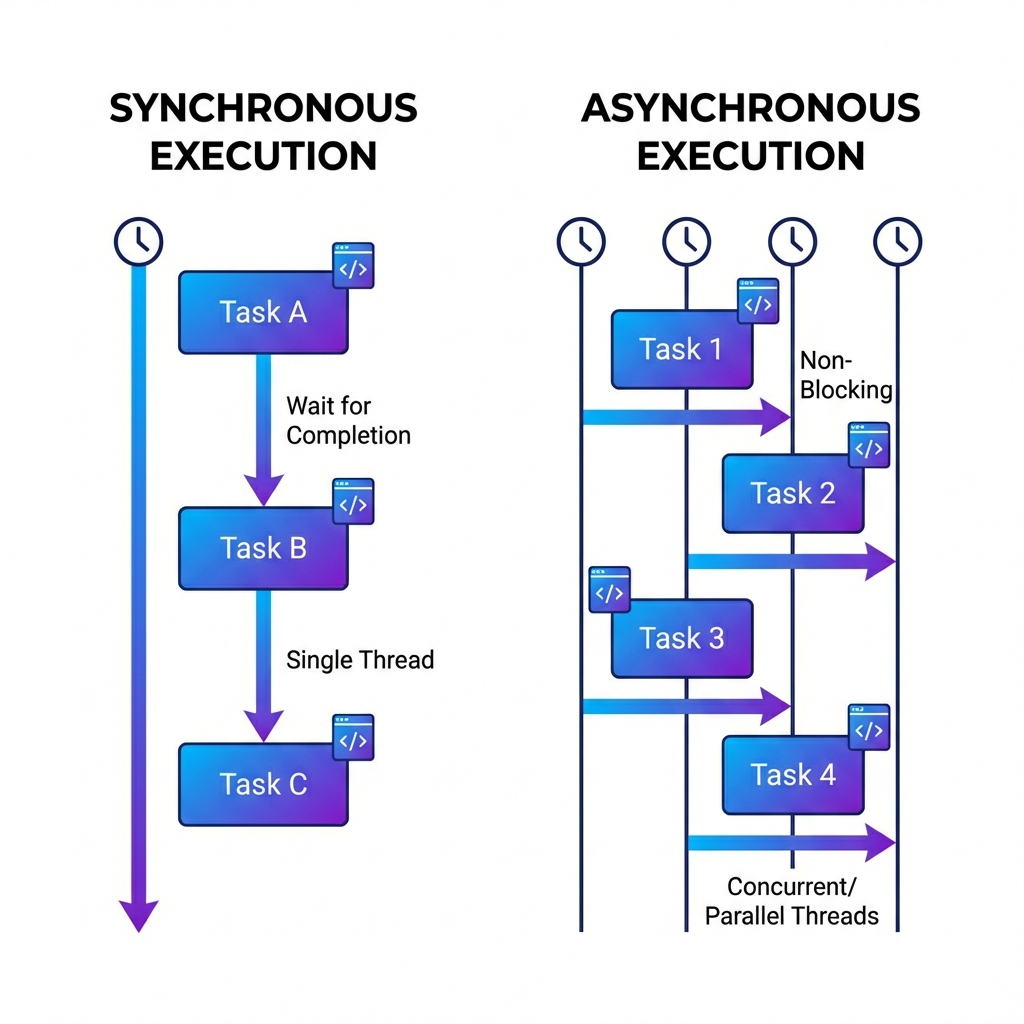
Synchronous vs Asynchronous Programming
Understanding the difference between synchronous and asynchronous programming is crucial for building performant web applications.
What is Synchronous Programming?
Synchronous programming executes tasks sequentially. One task must complete before the next one starts.
console.log("Task 1");
console.log("Task 2");
console.log("Task 3");
// Output: Task 1 → Task 2 → Task 3
Characteristics
- Predictable execution order: Code runs in the order it's written
- Easy to debug: Flow is straightforward to follow
- Blocking: Next task waits until current task completes
The Problem
If a server request takes 5 seconds, the entire program freezes for those 5 seconds:
// Bad: Synchronous data fetching
const data = fetchDataSync(); // Blocks for 5 seconds...
console.log(data); // Executes after 5 seconds
console.log("Next task"); // Also waits 5 seconds
What is Asynchronous Programming?
Asynchronous programming allows concurrent task execution. Long-running tasks run in the background while other tasks continue.
console.log("Task 1");

setTimeout(() => {
  console.log("Task 2 complete (after 2s)");
}, 2000);

console.log("Task 3");

// Output: Task 1 → Task 3 → (2s later) Task 2 complete
Characteristics
- Non-blocking: Other tasks don't wait
- Efficient resource usage: CPU processes other tasks during wait time
- Complex flow control: Requires callbacks, Promises, or async/await
Async Handling Methods
1. Callbacks
fetchData((error, data) => {
  if (error) {
    console.error("Error:", error);
  } else {
    console.log("Data:", data);
  }
});
2. Promises
fetchData()
  .then(data => console.log("Data:", data))
  .catch(error => console.error("Error:", error));
3. Async/Await (Recommended)
async function getData() {
  try {
    const data = await fetchData();
    console.log("Data:", data);
  } catch (error) {
    console.error("Error:", error);
  }
}
Why You Shouldn't Abuse alert()
alert() is a synchronous blocking function. When alert() executes:
- All JavaScript execution stops
- Everything waits until user clicks OK
- Even async operations pause
// Bad example
console.log("Start");
alert("Everything stops until you close this!");
console.log("End"); // Won't execute until alert is closed
Better Alternatives
Toast Notifications (async, non-blocking):
import { toast } from 'sonner';
toast.success("Operation completed!");
Modal Dialogs (async controllable):
const confirmed = await showConfirmDialog("Delete this item?");
if (confirmed) {
  deleteItem();
}
When to Use Each Approach
Use Synchronous When:
- Simple calculations: Math operations, string processing
- Order matters: Read file → Process → Save
- Initialization: Loading config files
Use Asynchronous When:
- Network requests: API calls, file downloads
- File I/O: Reading/writing large files
- Timers: setTimeout, setInterval
- User events: Clicks, scrolls
- Database queries: Select, insert, update
Real Example: Fetching User Data
// Bad: Synchronous approach
function getUserDataBad(userId) {
  const user = fetchUserSync(userId); // Blocking!
  const posts = fetchPostsSync(userId); // Blocking!
  return { user, posts };
}

// Good: Asynchronous approach
async function getUserDataGood(userId) {
  // Run in parallel to save time
  const [user, posts] = await Promise.all([
    fetchUser(userId),
    fetchPosts(userId)
  ]);
  return { user, posts };
}
- Synchronous: Sequential, predictable, simple but slow
- Asynchronous: Concurrent, fast but complex
- Avoid alert(): Blocks entire execution
- Choose wisely: Based on task characteristics
Modern web development uses async for most I/O operations. Mastering async/await makes async code as readable as sync code.